Installation
Supported platforms
EzDSH currently supports the following platforms:
| Platform | Installer |
|---|---|
| macOS (Apple Silicon) | .dmg |
| Windows (x64) | .exe installer |
Windows ARM64 is not supported yet.
Do I need to install anything else first
No. EzDSH bundles a fixed version of the DeepSeek Harness runtime, so you don't need to install Node.js, pnpm, or the DSH CLI beforehand. Install and use it directly.
Where to download
- Open the GitHub Releases page;
- Download the installer for your platform from the release assets:
- macOS (Apple Silicon):
.dmg - Windows (x64):
.exe
- macOS (Apple Silicon):
Note
Do not download the Artifacts from the GitHub Actions page — they are bundled into ZIPs for CI build archives and are not the installation entry point for end users.
macOS installation
- Open the downloaded
.dmgfile; - Drag
EzDSH.appinto the "Applications" folder; - Open EzDSH from "Applications" or Launchpad.
If macOS warns "cannot verify the developer" on first open:
- Right-click
EzDSH.app→ choose "Open", then confirm in the dialog; - Or go to System Settings → Privacy & Security and allow it under "Open Anyway".
Windows installation
The Windows installer is not code-signed yet, so Windows will show a security warning. Click More info and then Run anyway to proceed.
Run the downloaded
.exeinstaller;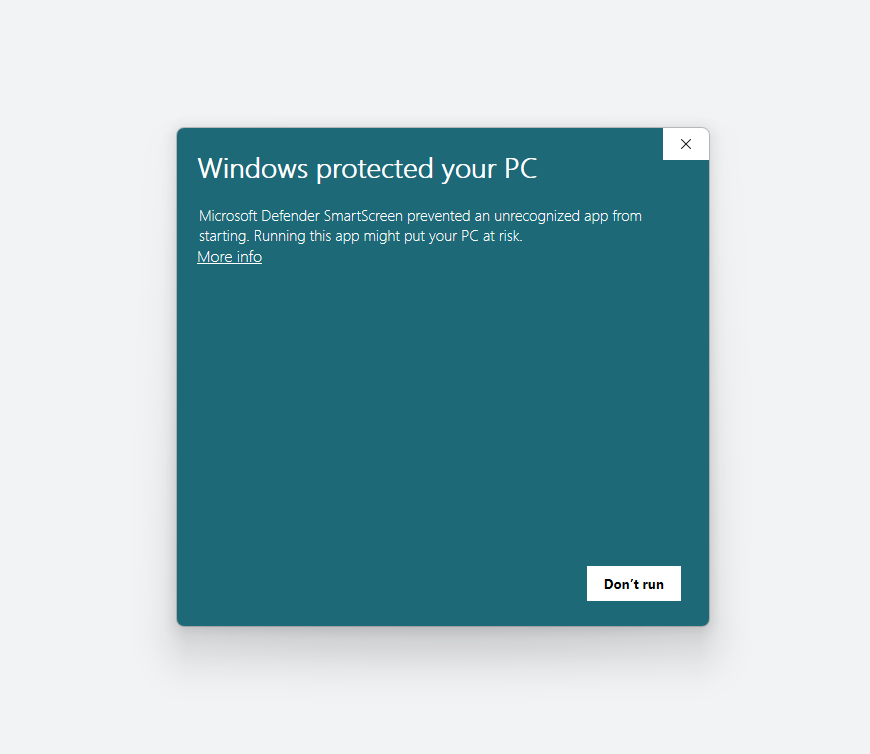
When the "Windows protected your PC" prompt appears, click More info;
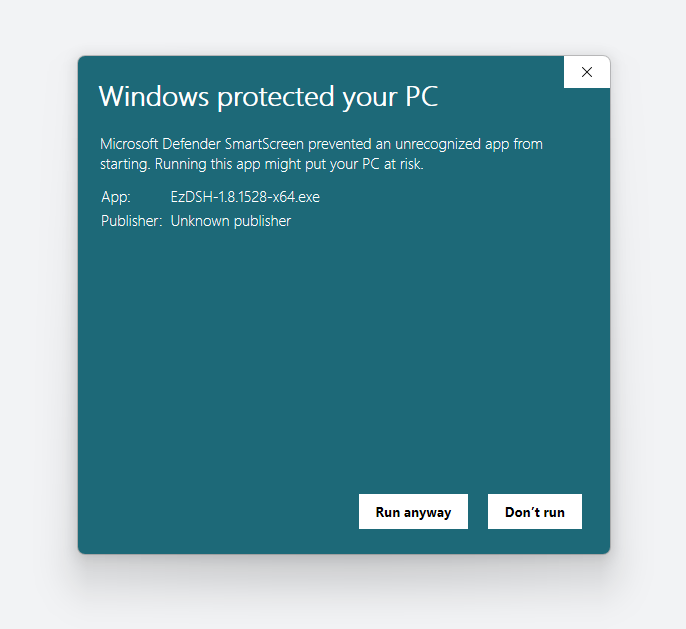
Click Run anyway to continue the installation;
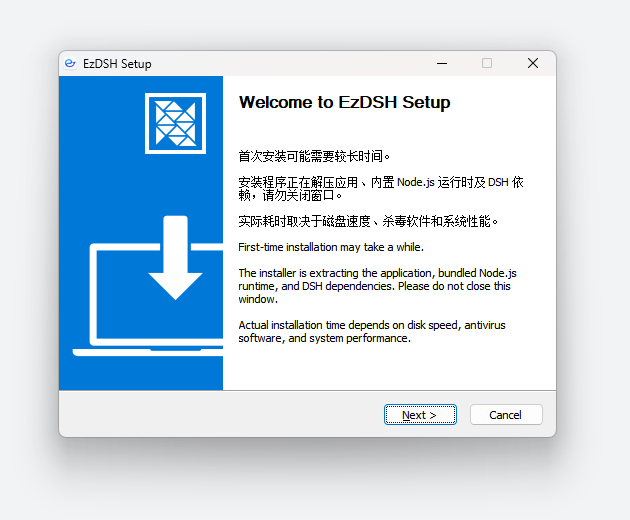
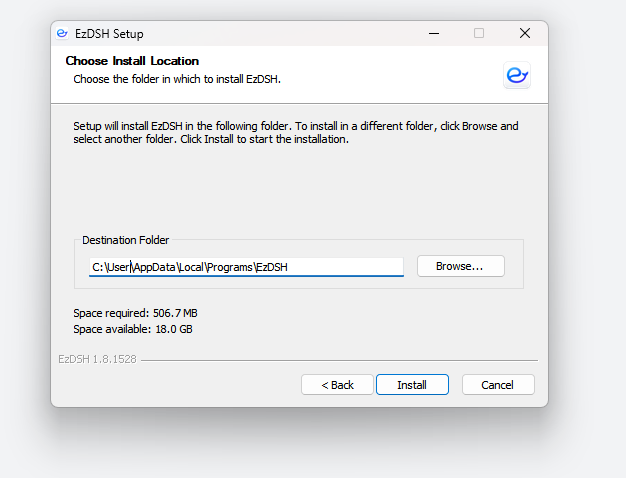
Follow the setup wizard to complete the installation;
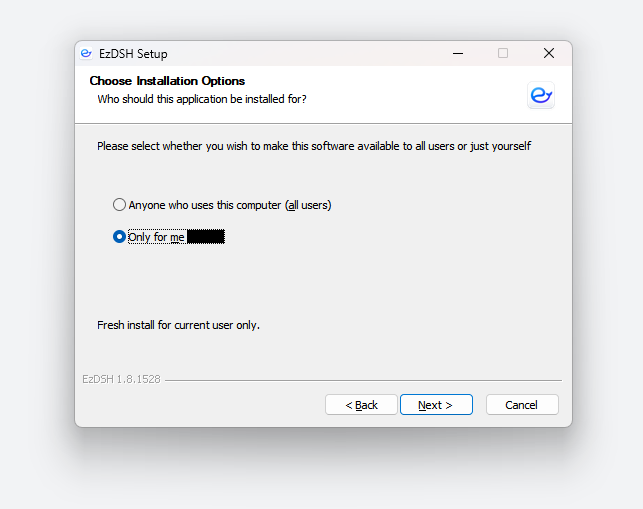
Choose the installation directory, recommended on the D: drive.
After installation
Open EzDSH and it will automatically start the built-in AI runtime and load the workspace. Next, follow First Run to configure a provider, or check the FAQ.